 By Novacreed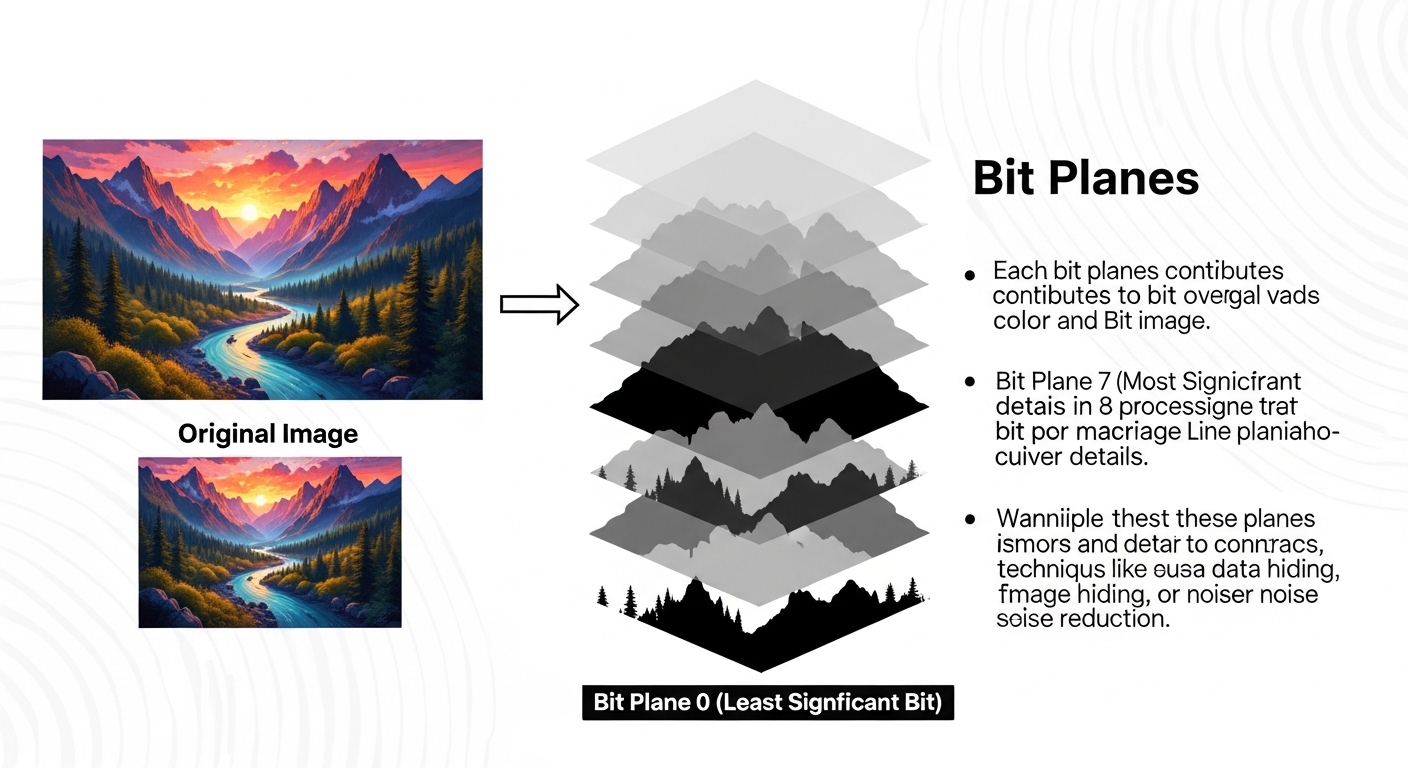
Digital images surround us, from the photos we snap on our smartphones to the graphics that adorn websites. But have you ever wondered what lies beneath those vibrant pixels? Enter bit planes—a fascinating concept in digital image manipulation that can transform how we understand and edit images. Whether you’re a seasoned graphic designer or just starting your journey into the world of digital art, grasping the power of bit planes opens up new avenues for creativity. Let’s dive deep into this intriguing subject and uncover how these layers work their magic behind the scenes!
History and Development of Bit Planes
Bit planes have their roots in early digital imaging technologies from the 1960s. As computers began to process visual data, engineers sought efficient ways to represent images.
Initially, monochrome bitmaps were developed. These simple black-and-white representations laid the groundwork for more complex systems.
As color displays emerged in the 1980s, bit planes evolved. Each pixel required multiple bits to capture various colors. This resulted in a layered approach where individual bits could be manipulated independently.
The introduction of true-color graphics expanded capabilities further. Now, instead of just two or three layers, images could contain up to eight separate bit planes per channel.
These advancements opened doors for artists and developers alike—allowing them greater control over image composition and editing techniques. The journey of bit planes reflects a fascinating blend of creativity and technical innovation that has shaped modern digital imagery.
How Bit Planes Work
Bit planes represent the individual layers of bits in a digital image. Each plane corresponds to a specific bit position across all pixels, mapping out the binary values that define color and brightness.
For instance, an 8-bit image has eight separate bit planes. The first plane holds the least significant bits, while the last contains the most significant ones. This structure allows for precise control over pixel manipulation.
When editing an image, you can isolate or modify any single bit plane. By adjusting these planes independently, you can enhance contrast or apply effects selectively without altering other aspects of the image.
Understanding how these layers function gives artists and developers powerful tools for creating stunning visuals. It opens doors to various techniques like thresholding and alpha compositing that elevate digital art beyond traditional limitations.
Applications of Bit Planes in Digital Image Manipulation
Bit planes serve as a powerful tool in digital image manipulation, offering unique ways to enhance and analyze images. By isolating individual bits from pixel values, users can manipulate specific aspects of an image without affecting others.
One common application is in the realm of thresholding. This technique allows editors to focus on particular brightness levels, making it easier to emphasize certain features or objects within an image. It’s particularly useful for tasks like edge detection.
Another significant use is in data compression. Bit plane slicing reduces file sizes by separating critical information from less essential data, ensuring that important details are preserved while minimizing storage needs.
Additionally, bit planes play a vital role in color separation during complex editing processes. They enable artists and photographers to adjust colors independently for stunning visual effects or corrections. This flexibility empowers creatives to push the boundaries of their work with precision.
Advantages and Limitations of Using Bit Planes
Bit planes offer several advantages in digital image manipulation. They allow for precise control over specific bits in an image, making adjustments easier without affecting other components. This can enhance the detail and quality of images during editing.
Moreover, working with bit planes provides a clearer understanding of how images are constructed at the binary level. For developers and designers, this knowledge is invaluable for optimizing graphics performance.
However, there are limitations to consider. Manipulating individual bit planes can be complex and may require specialized software or programming skills. Not all image formats support bit plane manipulation effectively, which can hinder workflows.
Additionally, excessive reliance on bit planes might lead to longer processing times. When working with high-resolution images, these delays can impact productivity significantly. Balancing their use is key to achieving desired results efficiently while maintaining image integrity.
Tips for Working with Bit Planes in Image Editing Software
When working with bit planes in image editing software, start by understanding the bit depth of your images. Higher bit depths yield more planes, allowing for greater detail and manipulation.
Experiment with isolating individual bits to see how they affect the overall image. This technique can reveal hidden details or enhance specific features that may not be obvious at first glance.
Utilize layers effectively. Many software programs allow you to work with layers corresponding to each bit plane. This setup lets you make adjustments without permanently altering the original image.
Don’t forget about color channels as well. Exploring combinations of RGB values across different planes can lead to striking visual effects and unique interpretations of standard images.
Keep an eye on performance; manipulating multiple bit planes can be resource-intensive. Save your work frequently and manage file sizes when dealing with large projects to maintain efficiency during edits.
Conclusion
Bit planes are a fascinating aspect of digital image manipulation that can greatly enhance the way we process and edit images. By breaking down an image into its binary components, they allow for precise control over individual bits and layers. This technique has roots in early computing but has evolved significantly with advances in technology.
Understanding how bit planes operate provides valuable insights into not just the mechanics of image processing, but also opens up new avenues for creativity. The applications range from medical imaging to graphic design, showing the versatility of this method across different fields.
While there are many advantages to using bit planes—such as improved editing capabilities and enhanced detail—it’s essential to be aware of their limitations, including increased complexity in handling data. With practice, anyone can master working with bit planes in various image editing software.
Exploring this concept can unlock exciting possibilities in your digital creations. Whether you’re a beginner or an experienced editor, integrating bit plane techniques into your workflow could elevate your projects to new heights. By understanding both their potential and challenges, you’ll be better equipped to harness the full power of digital imagery.